
SE XPERIA X10 mini - Phonebook, Telephony & Messaging
Phonebook does the job
The phonebook can store quite a lot of information. It lets you input numbers for work and home, but this time there are no custom labels. There is of course an email field and you can assign a custom ringtone.
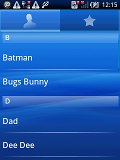

The phonebook is still comfortable enough to operate
You can add an IM nickname to the contact as well as a postal address, company and job title, several notes, you name it. Quite interesting is the option to redirect calls directly to voicemail.
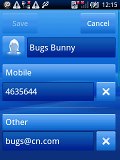
Editing a contact
When viewing a contact the various details are displayed in sections. Clicking a given number dials the contact while opting for the envelope icon next to it launches the message editor. Those two buttons fill an entire horizontal row so that they are more thumbable.
Telephony is fine
The Sony Ericsson XPERIA X10 mini had no issues with reception and in-call quality. The sound is loud and clear if you manage to hold the phone right. That’s a bit easier said than done as the phone is quite small and we had a finger on the mouthpiece on several occasions.
Unfortunately, the XPERIA X10 mini, just like the rest of the Android crew (except for the HTC Hero and Samsung Galaxy S) doesn’t feature smart dialing.
In the X10 mini the call log is a part of the dialer application. You can easily search the entries in it by flick scrolling.
Thanks to the proximity sensor the Sony Ericsson XPERIA X10 mini automatically switches off its touchscreen when you hold in next to your ear for a call. There is no chance of ever hitting an on-screen button with your cheek on this one.
We also ran our traditional loudspeaker test on the Sony Ericsson XPERIA X10 mini. We were rather disappointed with its Below Average score. You might want to keep an eye on the little fella when it’s noisy around you if you don’t want to miss calls.
| Speakerphone test | Voice, dB | Pink noise/ Music, dB | Ringing phone, dB | Overal score |
| Sony Ericsson XPERIA X10 | 64.9 | 66.1 | 66.6 | Below average |
| Sony Ericsson XPERIA X10 mini | 65.9 | 66.5 | 67.3 | Below average |
| HTC Tattoo | 75.1 | 66.6 | 75.9 | Good |
| HTC Magic | 70.3 | 69.5 | 79.3 | Very good |
| HTC Hero | 76.7 | 71.9 | 77.7 | Very Good |
Limited text input puts the brake on messaging
The SMS and MMS messaging section is quite straightforward and simple at first glance - there are no folders here, just a new message button. It doesn't stay like that for long - under that button is a list of all your messages organized into threads.
When viewing a thread, the newest message is placed at the bottom. At the bottom of the display is the tap-to-compose box and the send key, of course. There is a counter on the right which is displayed once you have 16 or fewer characters remaining of the 160 limit. It also shows the number of parts the message will be split into for sending.


Texting Dee Dee from the X10 mini
Converting an SMS to MMS is logical and easy. When you add multimedia content to the message, it is automatically turned into an MMS. You can just add a photo or an audio file to go with the text or you can choose to go into a full-blown MMS editor, depending on your needs.
Moving on to email, the Gmail app supports batch operations, which allow multiple emails to be archived, labeled or deleted.


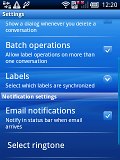
The Gmail app is an inherent part of the Android OS
There is also a generic email app for all your other email accounts and it can handle multiple POP or IMAP inboxes. You have access to the messages in the original folders that are created online, side by side with the standard local ones such as inbox, drafts and sent items.



The generic email app will is also there
Google Talk handles the Instant Messaging department. The G-Talk network is compatible with a variety of popular clients like Pidgin, Kopete, iChat and Ovi Contacts.
Quite naturally, the Sony Ericsson XPERIA X10 mini isn’t the heavy texters’ choice. The software is just fine, but with the limited text input options long messaging sessions are out of the question.
With the Sony Ericsson XPERIA X10 mini you are limited to a standard multitap keypad (T9 is supported though) and given the available screen estate we don’t think a virtual QWERTY would have made any sense. Not on a capacitive screen anyway, where stylus is a no go.
Still if you are really into typing on tiny virtual buttons you can find apps in the Android market, which enable QWERTY keyboard for free.
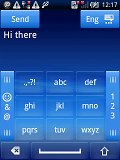
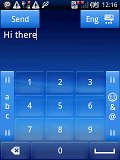
You do not want to type long messages on the Sony Ericsson XPERIA X10 mini
In any case, the X10 mini pro should be the choice for those that actually do more than an occasional SMS on their phones.
(Click here to go back to the main menu.)


No comments:
Post a Comment