
SE XPERIA X10 mini - Connectivity & Web browser
Connectivity: all on board
Connectivity is full suite on the Sony Ericsson XPERIA X10 mini. For starters, you get quad-band GSM/GPRS/EDGE for worldwide roaming and two versions with either dual-band (900/2100 MHz) or tri-band (850/1900/2100 MHz) 3G with HSPA.
As to local connectivity, the X10 mini offers USB v2.0, Bluetooth v2.1 with A2DP support (no file transfer though) and Wi-Fi. The USB interface is standard microUSB, which makes finding a compatible cable a lot easier.
The built-in microSD card slot can also be used as a data transfer tool. Card-readers are going for peanuts these days so you probably already have one lying around and they give some impressive speeds.
Web browser is in a dire need of a higher-res screen and Flash support
The XPERIA X10 mini is an Android phone and an excellent web browser is an important part of that description. With the exception of Flash, the browser performs pretty decently.
The user interface is rather minimalist – all you get on the screen are the zoom controls. The address bar is hidden by default to save some space as the low resolution doesn’t allow too much content to fit on the screen anyway.
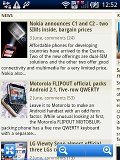
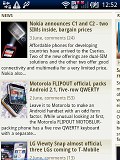
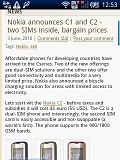
The X10 mini web browser
Unfortunately, the Android browser on the X10 mini supports only a single zoom method – the dedicated onscreen buttons. There is no double tap or one-finger zooming.

Going landscape
On the positive side, the browser supports text reflow – as soon as you zoom, columns of text adjust to fit the screen width. And there’s also the nice magnifying glass browsing mode, which let’s you browse the page quickly until you reach the part that you want to focus and then zoom in on to read it.
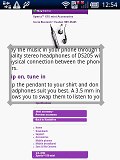
The magnifying glass mode can help you quickly search larges sites for specific bits of info
The minimalist UI is still quite powerful – hit the menu key and four keys pop up. You can open/switch tabs, refresh the page, go forward, open bookmarks.
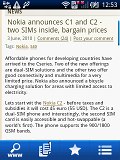
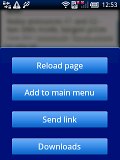
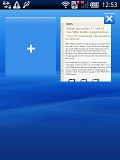
The available options • Multiple tabs can be opened
Flash support is the other letdown of the X10 mini browser. There is of course a YouTube application onboard but Flash content doesn't start nor end with YouTube.
(Click here to go back to the main menu.)


No comments:
Post a Comment