
Socialized phonebook
HTC Wildfire features the same powerful phonebook we first saw on the Hero. It resembles the one from the HTC TouchFLO but considerably extends its functionality.
Selecting a contact displays the basic details: name and photo, numbers, emails and such. What you'd notice though is that there are another five tabs at the bottom and you're just viewing the first of them.
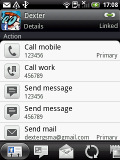
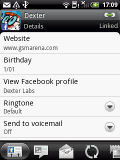
Viewing a contact
The next tab holds the messages received from the contact – it would have been a lot more useful if it held the entire conversation, but for that you’d have to go to the Messages app.
The third tab holds a list of emails you've exchanged with the contact. The next two tabs are quite interesting and can turn the Wildfire (or in fact any phone running the Sense UI) into a powerful social networking tool.
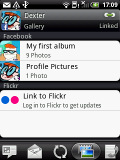
The first holds Facebook contact updates, and the other - called "Albums" - pulls the albums that contacts have created on Flickr and Facebook.
The first holds Facebook contact updates, and the other - called "Albums" - pulls the albums that contacts have created on Flickr and Facebook.
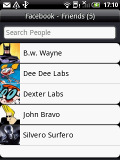
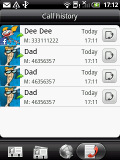
Facebook updates • Facebook and Flickr albums • call history
The last tab shows the call history for the contact.
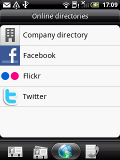
The entire People app (the phonebook) is tabbed too and with more tabs than the stock Android. You have all contacts, groups (including favorite contacts there), as well as a call log and "Online directories". The latter holds information for all your buddies’ online profiles.
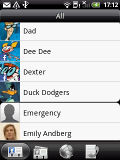
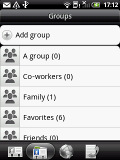
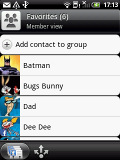
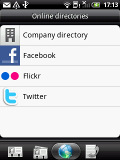
Phonebook • favorite contacts • groups • online directories
With Android 2.1, the HTC Wildfire packs the new Quick contacts feature. It lets you use the contact photo in the phonebook and call, text, or email the person with a single click.
The contact editing screen looks exactly as in the HTC Desire. There's no plus key to add a new detail of a certain type, just a delete detail key. This saves some space (one line per each category) but you have to scroll down to the bottom every time you want to add a new detail.
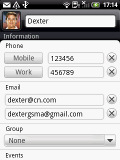
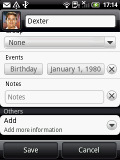
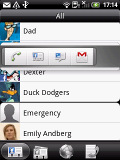
Editing a contact • Quick contact
There is a lot of information you can store per contact as usual, and searching the phonebook is very easy - just press the search button.


No comments:
Post a Comment