
Multi-touch image gallery
The gallery has the usual main menu list-with-thumbnail structure. The Albums app automatically locates images and videos no matter where they are stored. Images and videos stored in different folders appear in different sub-galleries that automatically get the name of the folder - quite effective file management.
Unfortunately, the gallery will start reindexing the content each time you open it and it does so even when you open a file for an instant and then get back to the thumbnail view. And that's a bugger as when cards are full of content it's quite slow to complete.
Unfortunately, the gallery will start reindexing the content each time you open it and it does so even when you open a file for an instant and then get back to the thumbnail view. And that's a bugger as when cards are full of content it's quite slow to complete.
Right next to the folder's name is a figure indicating the number of images stored. Each sub-album has a thumbnail of the latest image. The contextual menu of the main Album view has a single shortcut to the settings menu. There is also a camera shortcut, but it’s only available once you start browsing any of the sub-folders.
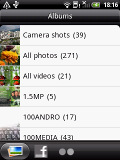
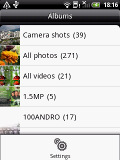
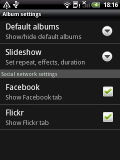
The Albums and some of the simple menu settings
At the bottom of the main album there are three virtual buttons - one for the actual folder list, another for Facebook and the final one for Flickr. The latter two display images from either account or those posted by your friends.


The Facebook app in Albums is great
Anywhere in the gallery except the main Album view you can launch the camera or camcorder to capture new images, share them on Facebook, Flickr, Gmail, HTC Mail, Messages, Peep and Picasa, or eventually delete the selected image.


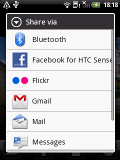
Taking an image is possible even while browsing Facebook photos, direct uploading is even easier
In the HTC Wildfire image folders you can choose between grid and filmstrip view. You can also mass delete images, but mass copy and paste options are still unavailable.
While you cannot copy/paste images from folder to folder (you'd need a proper file manager for that), you can still share multiple images from your albums on Facebook, Flickr, Gmail, HTC Mail, Messages, Peep and Picasa.



Grid type of view • viewing an image
The HTC Wildfire supports multi-touch and you can take the full advantage of this while browsing your images. Zooming in and out is done in the same fashion as on the Apple iPhone. You can zoom to 100% with simple double tap on the screen.

Smooth finger-sweep browsing of images and pinch zoom


No comments:
Post a Comment